Pump Data Group
The Storm Drain Editor can define pump data.
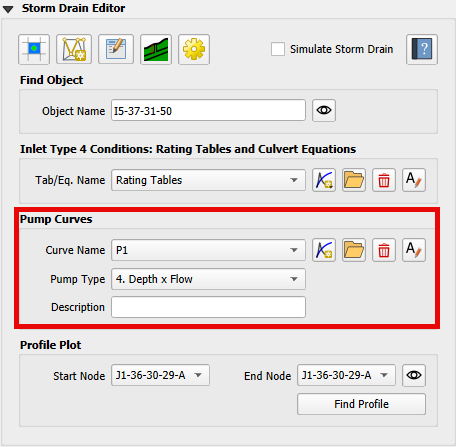
Pump discharge is defined by pump types. An Ideal pump is not limited by a tabular control curve. All other pump types are controlled by pump curves that are defined in the Pump Data Group.
Ideal Pump
The Ideal pump transfers all inflow collected at the inlet node. The pump must be the only outlet link connected to the inlet node.
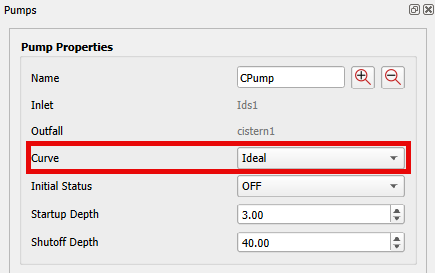
To set an Ideal pump, use the Find Object or the Info Tool to open the Pump Properties docked widget for the desired pump. Set the Curve to Ideal.
Pump Type 1
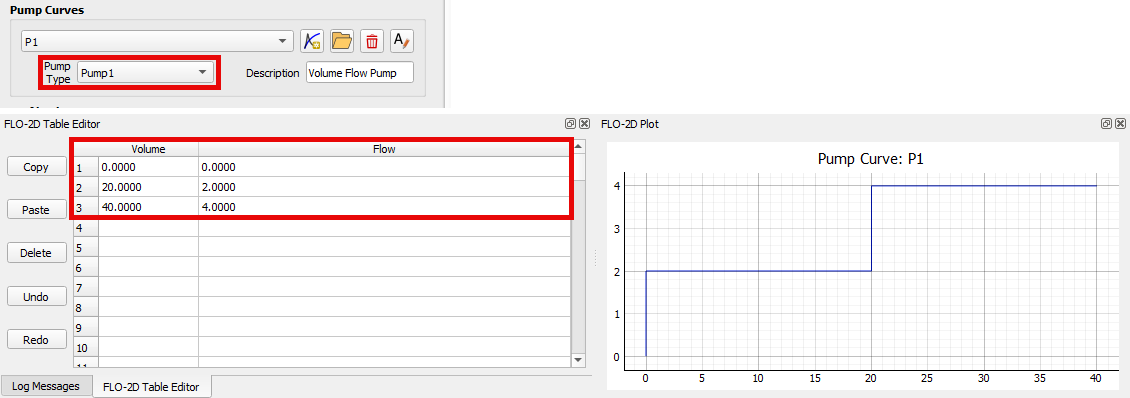
Pump Type 1 is designed for an offline wet well system. The discharge in cubic feet per second (cfs) or cubic meters per second (cms) increases in stepped increments as the wet well volume in cubic feet (ft³) or cubic meters (m³) increases.
An offline wet well system stores flow in a separate wet well structure connected to the storm drain system. The pump removes water from the wet well and discharges it to another location in the system.
Define the Pump Type and data using the Pump Data Group and the FLO-2D Table Editor.
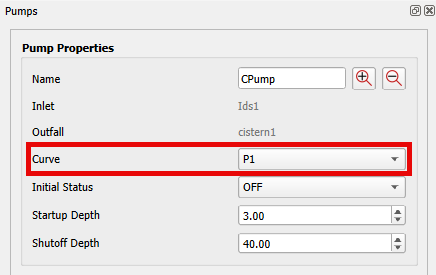
Use the Find Object or the Info Tool to open the Pump Properties docked widget for the desired pump. Set the Curve to the defined pump curve.
Pump Type 2
Pump Type 2 is designed for an inline system. It uses a discharge (cfs or cms) versus depth (ft or m) relationship where the flow increases in stepped increments as the inlet node depth increases.
Define the Pump Type and data using the Pump Data Group and the FLO-2D Table Editor.
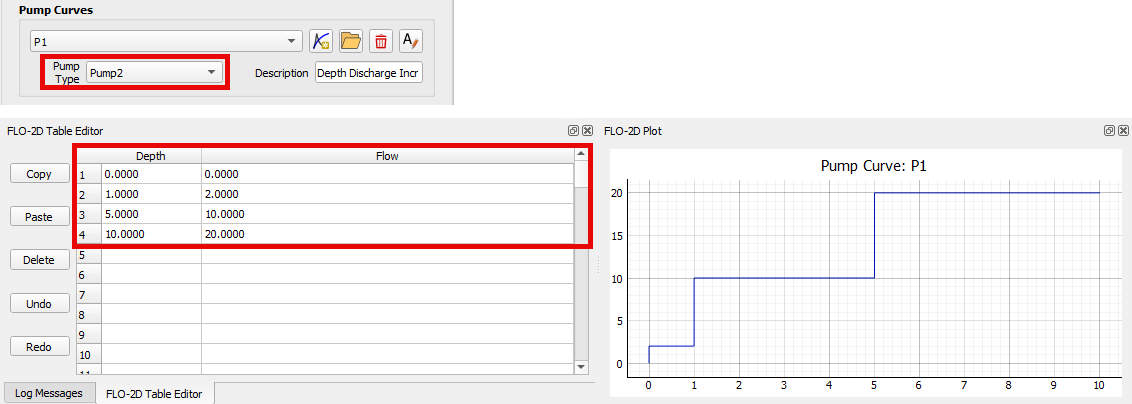
Use the Find Object or the Info Tool to open the Pump Properties docked widget for the desired pump. Set the Curve to the defined pump curve.
Pump Type 3
Pump Type 3 is designed for an inline system. It uses a head (ft or m) versus discharge (cfs or cms) relationship that varies continuously rather than in stepped increments. The pump flow increases as the head difference between the inlet and outlet nodes decreases.
Define the Pump Type and data using the Pump Data Group and the FLO-2D Table Editor.
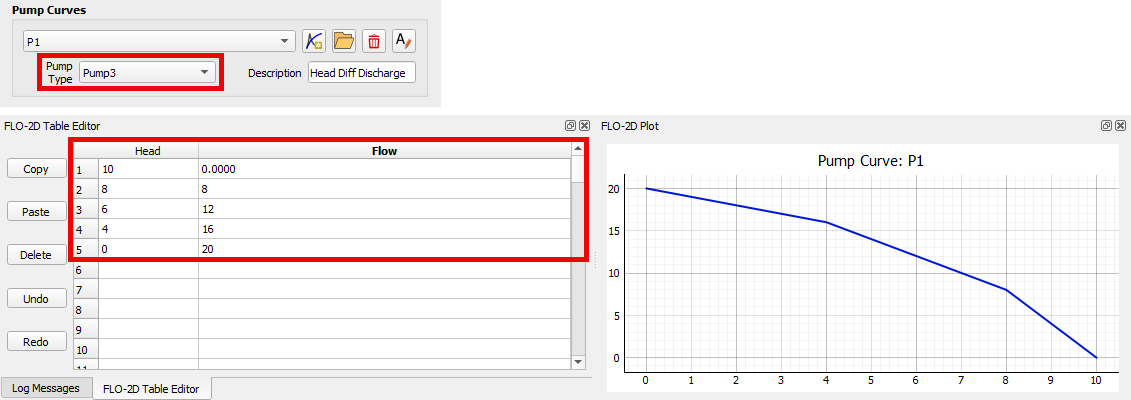
Use the Find Object or the Info Tool to open the Pump Properties docked widget for the desired pump. Set the Curve to the defined pump curve.
Pump Type 4
Pump Type 4 is designed for an inline system. It uses a discharge (cfs or cms) versus depth (ft or m) relationship where the flow increases continuously as the inlet node depth increases.
Define the Pump Type and data using the Pump Data Group and the FLO-2D Table Editor.
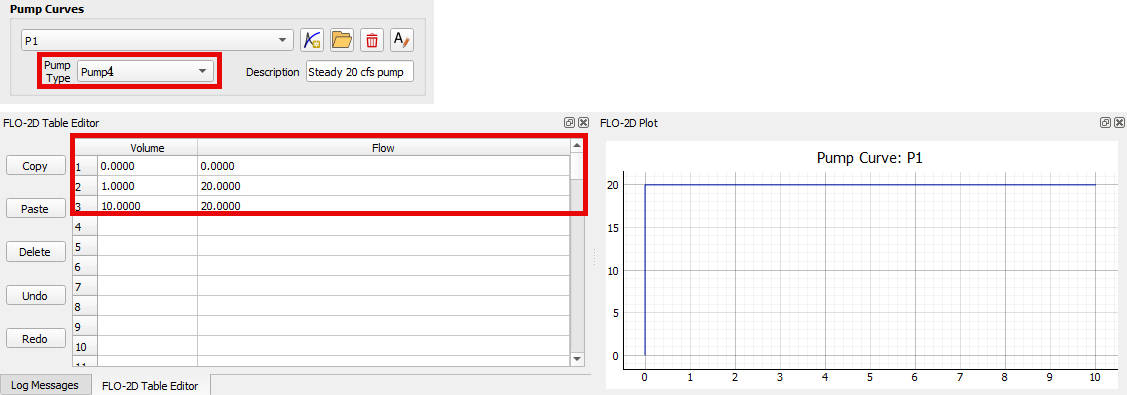
Use the Find Object or the Info Tool to open the Pump Properties docked widget for the desired pump. Set the Curve to the defined pump curve.
Pump Controls
In addition to pump curves, pumps are controlled by settings defined in the Pump Properties docked widget. These settings include the initial pump status (ON or OFF), the startup depth, and the shutoff depth.
Pump Information
Name |
Unique pump name. |
|---|---|
Inlet Node |
Node name at the inlet of the pump. |
Outlet Node |
Node name at the outlet of the pump. |
Description |
User-defined pump description. |
Pump Curve |
Name of the Pump Curve containing the pump operating data. Use * for an Ideal pump. |
Initial Status |
Status of the pump (ON or OFF) at the beginning of the simulation. |
Startup Depth |
Depth at the inlet node that turns the pump on (ft or m). |
Shutoff Depth |
Depth at the inlet node that turns the pump off (ft or m). |